User Help System
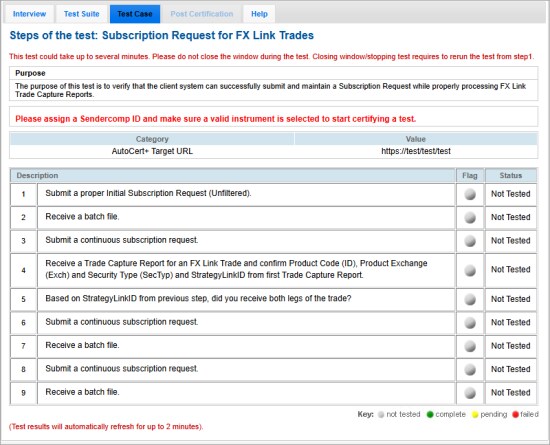
Subscription Request for FX Link Trades
The purpose of this test is to verify that the client system can successfully submit and maintain a Subscription Request while properly processing FX Link Trade Capture Reports.
- Submit a proper Initial Subscription Request (Unfiltered).
- Receive a batch file.
- Submit a continuous subscription request.
- Receive a Trade Capture Report for an FX Link Trade and confirm Product Code (ID), Product Exchange (Exch) and Security Type (SecTyp) and StrategyLinkID from first Trade Capture Report.
See also: CME STP for CME FX Link and FX Spot Plus and CME STP FIXML - CME FX Link Messaging.
- Based on StrategyLinkID from previous step, did you receive both legs of the trade?
- Submit a continuous subscription request.
- Receive a batch file.
- Submit a continuous subscription request.
- Receive a batch file.