User Help System
Start of the Week
This test verifies that your application system can properly process BrokerTec Market Data Incremental Refresh (tag 35-MsgType=X) book reset (tag 269-MDEntryType=J) messages that are sent at the beginning of the week as well as book updates to actives.
- To run the Start of the Week test
- Select an Identifier then ASSIGN.

- Select an Instrument.

- Click START TEST. and REFRESH.
Note: To restart the test, click START TEST and then click REFRESH.
- The start of the week is initiated. Receive and process a Market Data Incremental Refresh (tag 35-MsgType=X) book reset (tag 269-MDEntryType=J) message and the current book for each product.
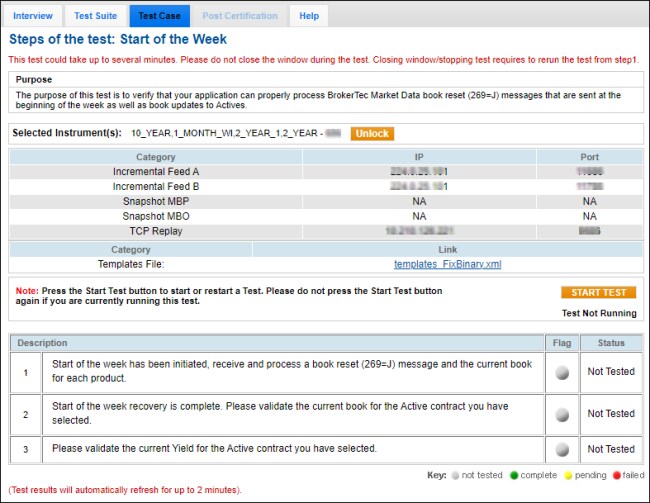
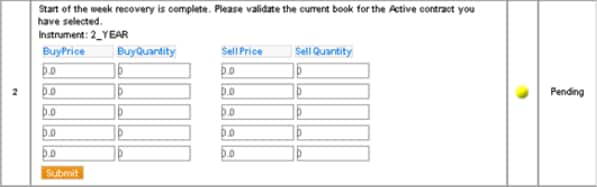
- The start of the week recovery is complete.
Validate the current book for the active contract that you selected.
- Price: tag 270-MDEntryPx
- Quantity: tag 271-MDEntrySize
- Enter the bid yield and ask yield for the active contract that you selected.
- Yield: tag 423-PriceType



