User Help System
POST - Update or Delete Product Permissions for an Account
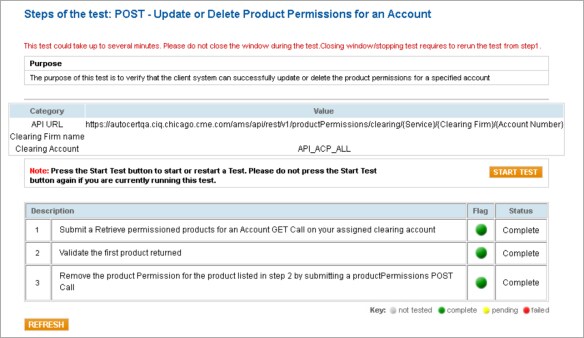
The purpose of this test is to verify that the client system can successfully update or delete the product permissions for a specified account.
- Specification: CME ClearPort (CPC) and CME Direct (CMED) (Globex)
- To run the POST - Update or Delete Product Permissions for an Account test
- Select a SenderCompID.
- Click START TEST.
- Click REFRESH.
Note: To restart the test, click START TEST and then click REFRESH.
- Submit a Retrieve permissioned products for an Account GET Call on your assigned clearing account.
- Validate the first product returned (print exact name as returned)

- Remove the product Permission for the product listed in step 2 by submitting a productPermissions POST Call.


