User Help System
POST - Update an Account to Active and Inactive
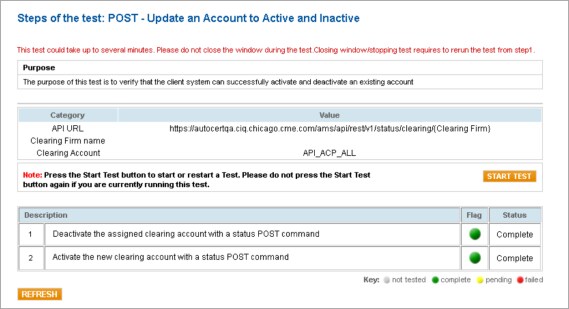
The purpose of this test is to verify that the client system can successfully activate and deactivate an existing account.
Specifications:
- To run the POST - Update an Account to Active and Inactive test
- Select a SenderCompID.
- Click START TEST.
- Click REFRESH.
Note: To restart the test, click START TEST and then click REFRESH.
- Deactivate the assigned clearing account with a status POST command.
- Activate the new clearing account with a status POST command.


