User Help System
Conflated UDP Book Management Messages for Market by Price (MBP)
This test verifies that your application can properly receive and process book management information.
- Select a SenderComp from the drop-down and select ASSIGN if a SenderComp is not already assigned.
- From the Instruments drop-down, then Select, if the contract is not already locked.
- Select the START TEST button.
Note: DO NOT select the START TEST button once the test is in progress.
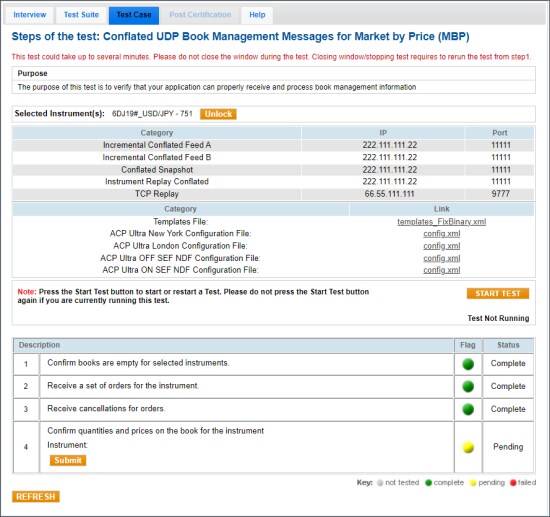
- To run a Book Management Messages for Market by Price (MBP) test:
- Confirm that the books are empty for the selected instruments.
- Receive a set of orders for the instrument.
- Receive cancellations for orders.
- Confirm the quantities and prices on the book for the selected instrument.


