User Help System
Market Data Request by Instrument Level Request Verification (Snapshot and Updates)
This test verifies that your system can send and process a Market Data Request (tag 35-MsgType=V) message.
See MDP 3.0 - Message Specification.
- Select a SenderComp from the drop-down and select ASSIGN if a SenderComp is not already assigned.
- From the Contracts drop-down, select the desired contract if the contract is not already locked.
- Select the START TEST button.
Note: DO NOT select the START TEST button once the test is in progress.
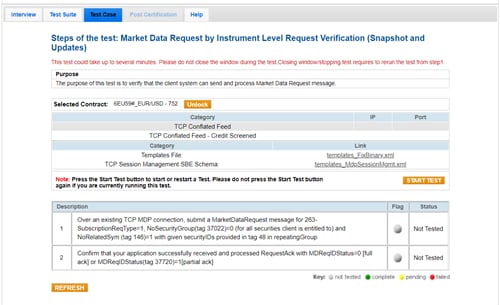
- To run a Market Data Request by Instrument Level Request Verification (Snapshot and Updates) test:
- Over an existing TCP MDP connection, submit a Market Data Request (tag 35-MsgType=V) message for 263-SubscriptionReqType=1, NoSecurityGroup(tag 37022)=0 (for all securities client is entitled to) and NoRelatedSym (tag 146)=1 with given securityIDs provided in tag 48 in the repeating group.
- Confirm that your application successfully received and processed a Request Acknowledgment (tag 35-MsgType=V) message with MDReqIDStatus=0 [full ack] or MDReqIDStatus(tag 37720)=1[partial ack].


