User Help System
Order Entry GTC Order Test
The purpose of this test is to verify the client system can submit a GTC order, receive and process the Acknowledgment messages.
For the initial EBS Direct Taker API certification period:
- AutoCert+ test cases will appear in read-only format.
- To complete Interview responses and Tests, users must contact Certification Support for Electronic Trading (CSET)
- To select the Test:
- Select a Identifier from the drop-down and select ASSIGN if not already assigned.
- From the Test Suite tab, select the linked test.
- Click the START TEST button.
Note:DO NOT select the START TEST button once the test is in progress.
If a test is not proceeding to the next step, clicking the Refresh button ( ) below the test steps may resolve the issue.
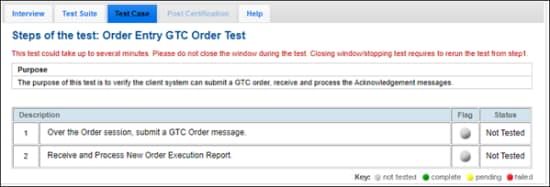
- To run an Order Entry GTC Order Test:
- Over the Order session, submit a GTC Order [35=D (tag 59-TimeInForce)] message.
- Receive and Process New Order Execution Report [35=8 (tag 150-ExecType, tag 39-OrdStatus)].


