User Help System
Market Data / Order Session Disconnection Tests
The purpose of this test is to verify that the client system reacts correctly in case of hard or graceful disconnection with EBS.
For the initial EBS Direct Taker API certification period:
- AutoCert+ test cases will appear in read-only format.
- To complete Interview responses and Tests, users must contact Certification Support for Electronic Trading (CSET)
- To select the Test:
- Select a Identifier from the drop-down and select ASSIGN if not already assigned.
- From the Test Suite tab, select the linked test.
- Click the START TEST button.
Note:DO NOT select the START TEST button once the test is in progress.
If a test is not proceeding to the next step, clicking the Refresh button ( ) below the test steps may resolve the issue.
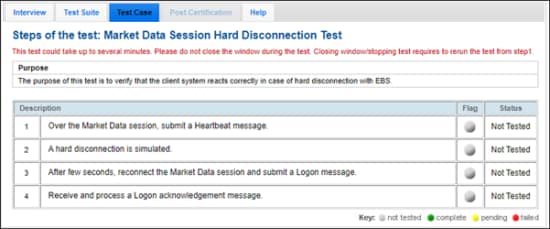
Note: This test is used for both Market Data or Order Session formats. The above image shows the Market Data format version of the test.
- Over the Market Data session, submit a Heartbeat (35=0) message.
A hard disconnection is simulated.
- After a few seconds, reconnect the Market Data session and submit a Logon (35=A) message.
- Receive and process a Logon acknowledgment message.
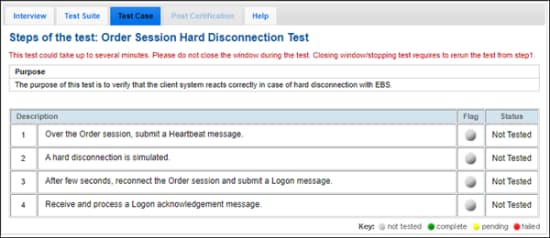
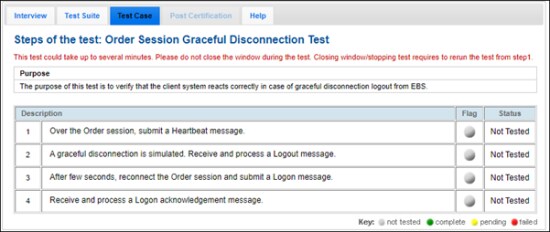
- To run a Market Data Session Graceful Disconnection Test or Order Session Graceful Disconnection Test
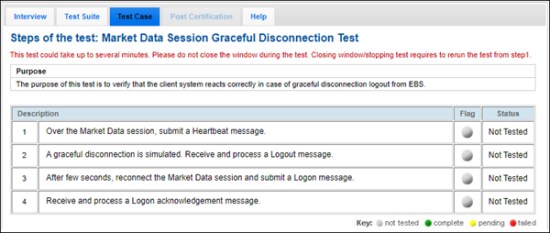
Note: This test is used for both Market Data or Order Session formats. The above image shows the Market Data format version of the test.