User Help System
Received Encapsulated Message from eFix Transaction
The purpose of this test is to verify the client system can receive and process encapsulated messages to support eFix transactions.
Additional Drop Copy Information
See the following documentation for more information on Drop Copy functionality:
- Drop Copy Service for iLink - EBS Market
- iLink 3 Binary Order Entry - EBS Market on CME Globex
- iLink FIX Tag Library
- Select a SenderComp from the drop-down and select ASSIGN if a SenderComp is not already assigned.
- From the Contracts drop-down, select the desired contract if the contract is not already locked.
- Select the START TEST button.
Note: DO NOT select the START TEST button once the test is in progress.
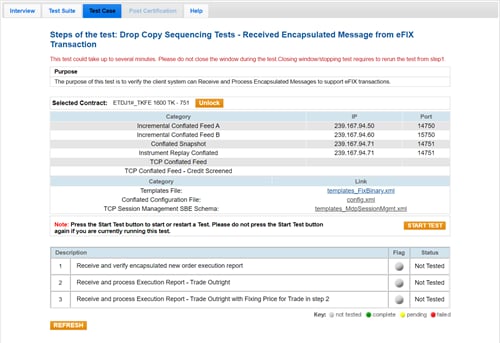
- To run the Received Encapsulated Message from eFix Transaction test:
- Enter the tag 44-Price value to confirm that your system received an encapsulated Execution Report - New Order message.
- Receive and process the Execution Report - Trade Outright message.
- Receive and process the Execution Report - Trade Outright message with the Fixing Price for the trade in step 2.


