User Help System
Logon Message
This test verifies that your system can appropriately handle timely connection at logon, implement a valid logon heartbeat interval and then handle point of origin values on any Logon and ensuing acknowledgment message.
Additional Drop Copy Information
See the following documentation for more information on Drop Copy functionality:
- iLink Binary Order Entry
- Drop Copy Service for iLink - BrokerTec Markets
- iLink Binary Order Entry - BrokerTec Markets
- iLink FIX Tag Library
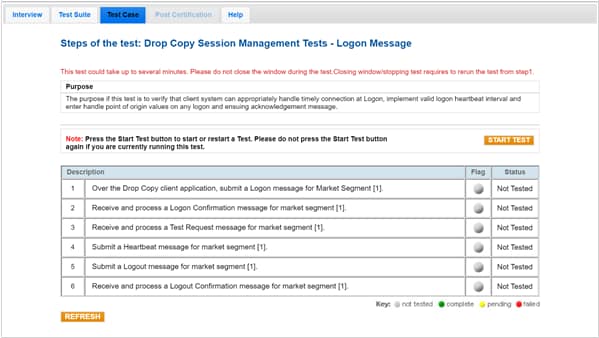
- To run a Logon Message test:
- Select a SenderComp from the drop-down and select ASSIGN if a SenderComp is not already assigned.
- Select the START TEST button.
Note: DO NOT select the START TEST button once the test is in progress.
- Over a Drop Copy connection, submit a Logon (35=A) message for market segment (1).
- Receive and process a Logon (35=A) confirmation message for market segment (1).
- Receive and process a Test Request (35=1) message for market segment (1).
- Submit a Heartbeat (35=0) message for market segment (1).
- Submit a Logout (35=5) message for market segment (1).
- Receive and process a Logout (35=5) message for market segment (1).


