User Help System
Filtered Trade Capture Report Request
This test verifies that the client system can submit and maintain a Filtered Trade Capture Report Request while processing Trade Capture Reports.
Note: The example test procedure below is for a Trade Input Source Filtered Capture Report Request and may not appear in your test suite. The tests included in the test suite will depend on the answers you provided in the Interview.
- Select a SenderComp / API ID from the drop-down and select ASSIGN if not already assigned.
- (If applicable) From the Instrument(s) drop-down, select the desired instrument if the instrument is not already locked.
- Select the START TEST button.
Note: DO NOT select the START TEST button once the test is in progress.
Note: If a test is not proceeding to the next step, clicking the Refresh button ( ) below the test steps may resolve the issue.
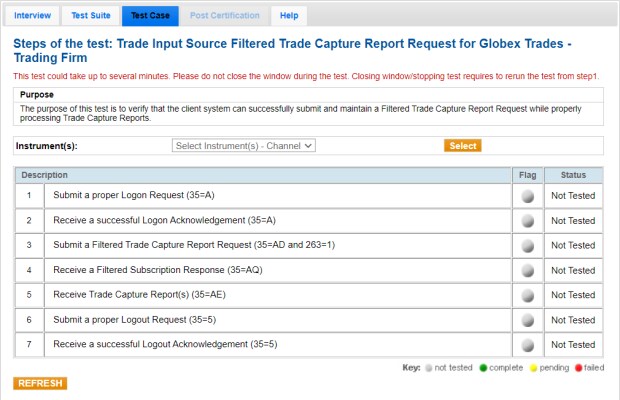
- To run a Filtered Trade Capture Report Request test:
- Submit a Logon (35=A).
- Receive a Logon Acknowledgment (35=A).
- Submit a Trade Capture Report Request (35=AD and 263=1).
- Receive a Subscription Response (35=AQ).
- Receive Trade Capture Report (35=AE).
- Submit a Logout Request (35=5).
- Receive a Logout Acknowledgment (35=5).


