User Help System
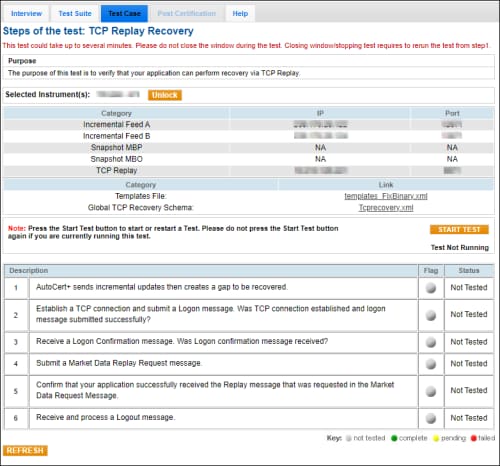
TCP Replay Recovery
The purpose of this test is to verify that your application can perform recovery via TCP Replay.
Note: See also:
- CME Group Benchmark Administration
- MDP 3.0 - TCP Recovery
Prior to beginning the test, select:
- From the Testing Configuration screen, select an Identifier, then select Assign.
- On the selected Test Case screen, select an Instrument, then select START TEST.
- To run a TCP Replay Recovery test:
- AutoCert+ sends incremental updates then creates a gap to be recovered.
- Establish a TCP connection and submit a Logon (tag 35-MsgType=A) message.
(If applicable) Respond to the question by selecting Yes / No - Was the TCP connection established and logon message submitted successfully?
- Receive a Logon confirmation message.
(If applicable) Respond to the question by selecting Yes / No - Was a Logon confirmation message received?
- Submit a Market Data Replay Request (tag 35-MsgType=V) message.
- Confirm that your application successfully received the Replay message that was requested in the Market Data Request Message, by entering the following tag values:
- tag 270-MDEntryPx
- tag 9732-FormattedLastPx
- Receive and process a Logout (tag 35-MsgType=5) message.