User Help System
Order Cancel without OrderID
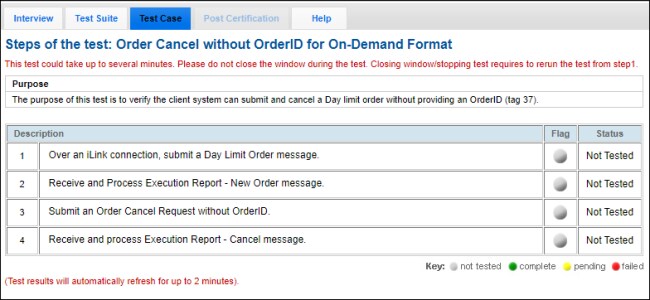
The purpose of this test is to verify the client system can submit and cancel a Day limit order without providing an OrderID (tag 37).
This test case is mandatory if the response to the interview question "Will your system support Order Cancel without OrderID?" is Yes.
- Select a SenderComp from the drop-down and select ASSIGN if an Instrument is not already assigned.
- From the Instrument(s) drop-down, select the desired instrument if it is not already locked.
- Select the START TEST button.
Note: DO NOT select the START TEST button once the test is in progress.
If a test is not proceeding to the next step, selecting the Refresh button ( ) below the test steps may resolve the issue.
Pre-Registered or On-Demand Format
This test is used for both Pre-Registered and On-Demand formats. The below instructions show the Pre-Registered format.
- To run a Order Cancel without OrderID test:
- Over an iLink connection submit a New Day Limit Order Message [35=D | tag 59-TimeInForce=0 (Day) | tag 40-OrderType=2 (Limit order)].
- Receive and Process the Execution Report - New Order Message (35=8, 39=0).
- Submit and Order Cancel Request without OrderID Message (35=F | tag 11-ClOrdID | without tag 37-OrderID).
- Receive and process an Execution Report - Cancel Message (35=8, 39=4).
Pre-Registered format screen
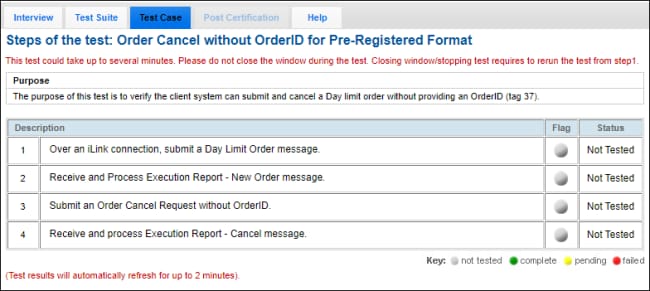
On-Demand format screen