User Help System
Party Details Definition Request Message for Treasury Link Spread Pre-Registered Format
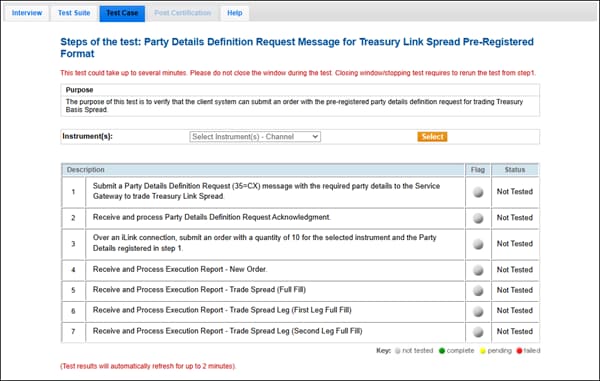
The purpose of this test is to verify that the client system can submit an order with the pre-registered party details definition request for trading Treasury Link Spread.
This test is mandatory if you selected Pre-Registration (Service Gateway) in the interview question “How does your application register Administrative information?”
- To run the test
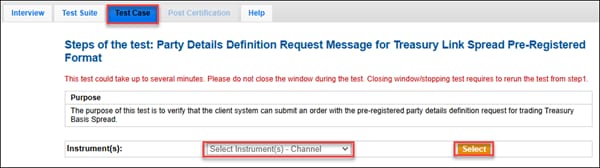
Before starting the test steps, choose an Instrument from the drop down and click Select.
- Submit a Party Details Definition Request (35=CX) message with the required party details to the Service Gateway to trade Treasury Link Spread.
- Select Yes or No to accept or reject the Party Details Definition Request Acknowledgment. If the test fails, check the error and click START TEST to run it again.
- Over an iLink connection, submit an order with a quantity of 10 for the selected instrument and the Party Details registered in step 1.
- Select Yes or No to accept or reject the Execution Report - New Order. If the Execution Report fails, check the error and restart the test.
- Receive and process the Execution Report - Trade Spread (Full Fill). Enter the Execution Report values in the text box when it appears. If you see a fail error, check the submitted values and run the test again.
- Receive and process Execution Report - Trade Spread Leg (First Leg Full Fill). Enter the Execution Report values in the text box when it appears. If you see a fail error, check the submitted values and run the test again.
- Receive and process Execution Report - Trade Spread Leg (Second Leg Full Fill). Enter the Execution Report values in the text box when it appears. If you see a fail error, check the submitted values and run the test again.