User Help System
Party Details Definition Request Message for Treasury Link Spread Order OnDemand Format
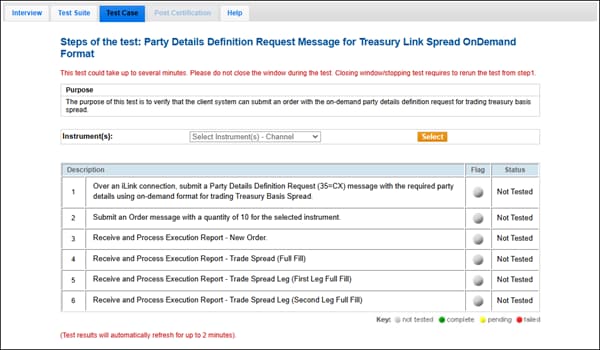
The purpose of this test is to verify that the client system can submit an order with the on-demand party details definition request for trading Treasury Link Spread.
This test case is mandatory if you selected On-Demand Registration for the interview question "How does your application register Administrative information?"
- To run the test
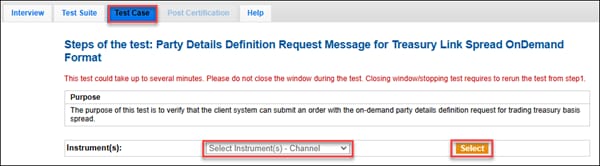
Before starting the test steps, choose an Instrument from the drop down and click Select.
- Over an iLink connection, submit a Party Details Definition Request (35=CX) message with the required party details using on-demand format for trading Treasury Link Spread. If the test fails, check the error and click START TEST to run it again.
- Submit an Order message with a quantity of 10 for the selected instrument.
- Select Yes or No accept or reject the Execution Report - New Order. If the Execution Report is rejected, restart the test.
- Receive and process the Execution Report - Trade Spread (Full Fill). Enter the Execution Report values in the text box when it appears. If you see a fail error, check the submitted values and run the test again.
- Receive and process Execution Report - Trade Spread Leg (First Leg Full Fill). Enter the Execution Report values in the text box when it appears. If you see a fail error, check the submitted values and run the test again.
- Receive and process Execution Report - Trade Spread Leg (Second Leg Full Fill). Enter the Execution Report values in the text box when it appears. If you see a fail error, check the submitted values and run the test again.