User Help System
Snapshot Failover Recovery Test
The purpose of this test is to verify that you can recover all missed trades in case of a disconnect or outage using the Snapshot recovery process. The test uses StartTime (Tag 9593) to recover missed trades.
This test is mandatory if you selected “Trade Capture Report Request - Snapshot with StartTime (tag 9593)” in the interview question “Which type of recovery does your application support?”
- To run the test
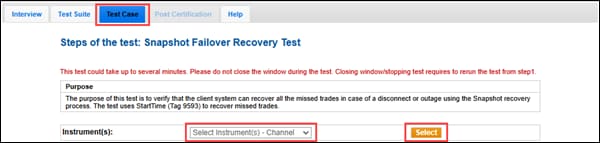
- On the Test Case tab, use the Instrument(s) drop down menu to choose an instrument and channel and click SELECT.
- Select START TEST.
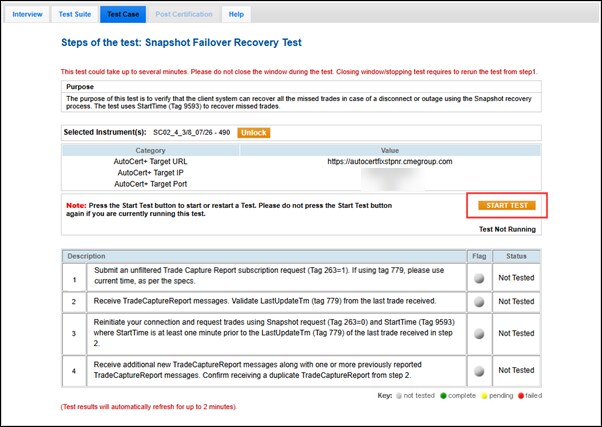
Note: Do not select START TEST while a test is running unless instructed to do so. Restarting a test deletes the current test results.
- Submit an unfiltered Trade Capture Report subscription request (263=1). If using Tag 779, please use the current time.
- Receive Trade Capture Report messages. Validate LastUpdateTm (Tag 779) from the last trade received.
- Reinitiate the connection and request trades using a Snapshot request (Tag 263=0) and StartTime (Tag 9593) that is at least one minute prior to the LastUpdateTm (Tag 779) of the last trade received in step 4.
- Select Yes or No to confirm that your system received additional new Trade Capture Report messages along with one or more previously sent Trade Capture Report messages, including a duplicate message from step 4.


