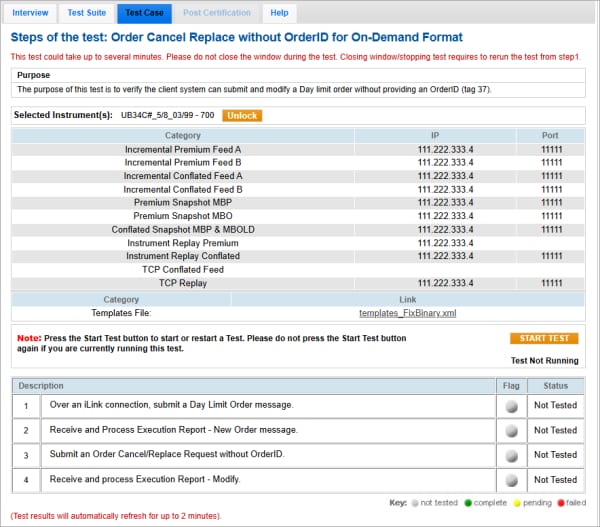
Order Cancel Replace without Order ID
The purpose of this test is to verify the client system can submit and modify a Day limit order without providing an OrderID (tag 37).
Pre-Registered or On-Demand Format
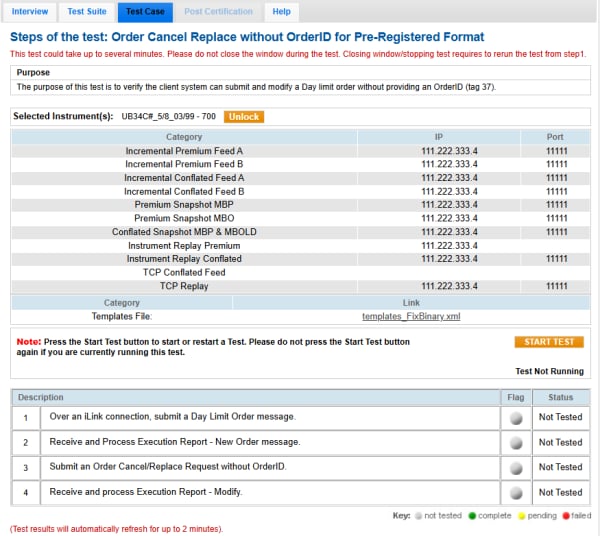
Note: This test is used for both Pre-Registered and On-Demand formats. The below image shows the Pre-Registered format version of the test.
Note: If a test is not proceeding to the next step, selecting the Refresh button ( ) below the test steps may resolve the issue.
- To run an Order Cancel-Replace without Order ID test:
- Select a SenderComp from the drop-down and select ASSIGN if a SenderComp is not already assigned.
- From the Contracts drop-down, select the desired contract if the contract is not already locked.
- Select the START TEST button.
Note: DO NOT select the START TEST button once the test is in progress.
- Over an iLink connection, submit a Day Limit [35=D - tag 59(TimeInForce)=0(Day), tag 40(OrdType)=2(Limit)] Order message.
- Receive and Process Execution Report - New Order (35=8, 39=0) message.
- Submit an Order Cancel/Replace Request (35=G) without OrderID (omit tag 37-OrderID or send null value).
- Receive and process Execution Report - Modify (35=8, 39=5).