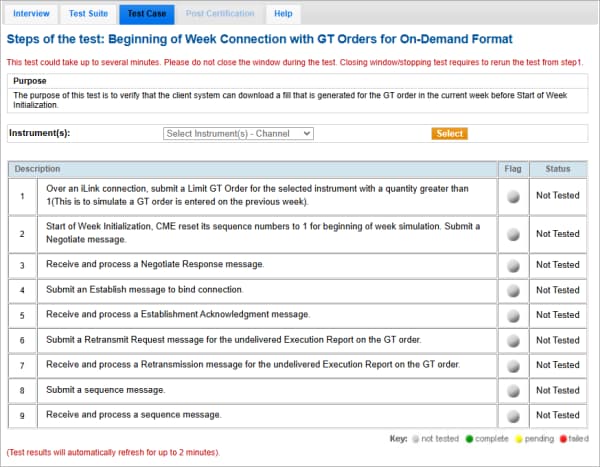
Beginning of Week Connection with GT Orders for On-Demand Format
The purpose of this test is to verify that the client system can download a fill that is generated for the GT order in the current week before Start of Week Initialization.
Note: If a test is not proceeding to the next step, selecting the Refresh button ( ) below the test steps may resolve the issue.
- To run the beginning of week connection with GT Order test:
- Select a SenderComp from the drop-down and select ASSIGN if a SenderComp is not already assigned.
- From the Contracts drop-down, select the desired contract if the contract is not already locked.
- Select the START TEST button.
Note: DO NOT select the START TEST button once the test is in progress.
- Over an iLink connection, submit Limit GT Order for the selected instrument with a quantity greater than 1.
Simulates a GT order entered the previous week.
- Start of Week Initialization, CME reset its sequence numbers to 1 for beginning of week simulation. Submit a Negotiate message.
- Receive and process a Negotiate Response message.
- Submit an Establish message to bind connection.
- Receive and process a Establishment Acknowledgment message.
- Submit a Retransmit Request message for the undelivered Execution Report on the GT order.
- Receive and process a Retransmission message for the undelivered Execution Report on the GT order.
- Submit a sequence message.
- Receive and process a sequence message.