Bloomberg User Guide: CME Group FX futures
Using the codes below, follow these steps to access information about CME Group FX futures through a Bloomberg terminal.
Tickers for FX futures, futures spreads and FX Link:
| Currency Pairs | Futures | Bloomberg Multiplier* | Calendar Spreads** | FX Link | |
| Majors | EUR/USD | ECA <Curncy> | 1 | ECEC <Curncy> | LK + EUR + <CME Expiry Month Code> + <Expiry Year (YY)> + <Curncy> |
| JPY/USD | JYA <Curncy> | 10,000 | JYJY <Curncy> | LK + JPY + <CME Expiry Month Code> + <Expiry Year (YY)> + <Curncy> | |
| GBP/USD | BPA <Curncy> | 100 | BPBP <Curncy> | LK + GBP + <CME Expiry Month Code> + <Expiry Year (YY)> + <Curncy> | |
| AUD/USD | ADA <Curncy> | 100 | ADAD <Curncy> | LK + AUD + <CME Expiry Month Code> + <Expiry Year (YY)> + <Curncy> | |
| CAD/USD | CDA <Curncy> | 100 | CDCD <Curncy> | LK + CAD + <CME Expiry Month Code> + <Expiry Year (YY)> + <Curncy> | |
| CHF/USD | SFA <Curncy> | 100 | SFSF <Curncy> | LK + CHF + <CME Expiry Month Code> + <Expiry Year (YY)> + <Curncy> | |
| NZD/USD | NVA <Curncy> | 100 | NVNV <Curncy> | LK + NZD + <CME Expiry Month Code> + <Expiry Year (YY)> + <Curncy> | |
| CNH/USD | CDYA <Curncy> | 1 | CDYCDY <Curncy> | LK + CDY + <CME Expiry Month Code> + <Expiry Year (YY)> + <Curncy> | |
| LATAM | MXN/USD | PEA <Curncy> | 100 | PEPE <Curncy> | LK + MXN + <CME Expiry Month Code> + <Expiry Year (YY)> + <Curncy> |
| BRL/USD | BRA <Curncy> | 100 | BRBR <Curncy> | ||
| CLP/USD | PLCA <Curncy> | 100 | PLCPLC <Curncy> | ||
| Emerging Markets | ZAR/USD | RAA <Curncy> | 100 | RARA <Curncy> | LK + ZAR + <CME Expiry Month Code> + <Expiry Year (YY)> + <Curncy> |
| RUB/USD | RUA <Curncy> | - | RURU <Curncy> | ||
| TRY/USD | TLCA <Curncy> | 1 | TLCTLC <Curncy> | ||
| IDR/USD | IDPA <Curncy> | 1,000,000 | IDPIDP <Curncy> | ||
| SGD/USD | SUYA <Curncy> | 1 | SUYSUY <Curncy> | ||
| Scandis | NOK/USD | NOA <Curncy> | 100 | NONO <Curncy> | |
| SEK/USD | SEA <Curncy> | 100 | SESE <Curncy> | ||
| EUR/NOK | ENA <Curncy> | 1 | ENEN <Curncy> | ||
| EUR/SEK | EWA <Curncy> | 1 | EWEW <Curncy> | ||
| CE4 | CZK/USD | CCA <Curncy> | 1 | CCCC <Curncy> | |
| HUF/USD | HEA <Curncy> | 100 | HEHE <Curncy> | ||
| PLN/USD | PPA <Curncy> | 1 | PPPP <Curncy> | ||
| ILS/USD | ISA <Curncy> | 1 | ISIS <Curncy> | ||
| CZK/EUR | EXA <Curncy> | 1 | EXEX <Curncy> | ||
| HUF/EUR | ELA <Curncy> | 100 | ELEL <Curncy> | ||
| PLN/EUR | EIA <Curncy> | 1 | EIEI <Curncy> | ||
| EUR Crosses | EUR/GBP | RPA <Curncy> | 1 | RPRP <Curncy> | |
| EUR/CAD | CAA <Curncy> | 1 | CACA <Curncy> | ||
| EUR/JPY | RYA <Curncy> | 1 | RYRY <Curncy> | ||
| EUR/CHF | RFA <Curncy> | 1 | RFRF <Curncy> | ||
| EUR/AUD | EAA <Curncy> | 1 | EAEA <Curncy> | ||
| Other Crosses | GBP/JPY | PJA <Curncy> | 1 | PJPJ <Curncy> | |
| GBP/CHF | PSA <Curncy> | 1 | PSPS <Curncy> | ||
| CHF/JPY | SJA <Curncy> | 1 | SJSJ <Curncy> | ||
| AUD/CAD | ACA <Curncy> | 1 | ACAC <Curncy> | ||
| AUD/JPY | AJA <Curncy> | 1 | AJAJ <Curncy> | ||
| AUD/NZD | ANA <Curncy> | 1 | ANAN <Curncy> | ||
| CAD/JPY | CYA <Curncy> | 1 | CYCY <Curncy> | ||
| Asian NDF | KRW/USD | KOA <Curncy> | 100 | KOKO <Curncy> | |
| INR/USD | SIRA <Curncy> | 1 | SIRSIR <Curncy> | ||
| CNY/USD | DOA <Curncy> | 1 | DODO <Curncy> | ||
| CNY/EUR | DPA <Curncy> | 1 | DPDP <Curncy> |
* For example, JPY/USD is quoted at 0.0067885 on CME, Bloomberg price would show 67.885. By dividing 67.885 by the multiplier (10,000) to convert into the CME Direct price which is 0.0067885
**The default ticker brings up the current front serial contract + the subsequent month contract by default, you can however query specific Calendar Spreads instrument directly:
- For 4-digit ticker (e.g., ECEC): "First 2-digit of the ticker" + "1st Leg Expiry Month Code" + "1st Leg Last digit of Year" + "First 2-digit of the ticker" + "2nd Leg Expiry Month Code" + "2nd Leg Last digit of Year". For example, EUR/USD Sept-24 vs. Dec-24 spread, the ticker is “ECU4ECZ4 ”
- For 6-digit ticker (e.g., CHYCHY): "First 3-digit of the ticker" + "1st Leg Expiry Month Code" + "1st Leg Last digit of Year "+ "2nd Leg Expiry Month Code " + "2nd Leg Last digit of Year ". For example, USD/CNH Sept-24 vs. Dec-24 spread, the ticker is “CHYU4Z4 ”
| Month Codes | |||
| JANUARY |
F [background-color: #f1f5f7,text-align: center] |
FEBRUARY |
G [background-color: #f1f5f7,text-align: center] |
| MARCH |
H [background-color: #f1f5f7,text-align: center] |
APRIL |
J [background-color: #f1f5f7,text-align: center] |
| MAY |
K [background-color: #f1f5f7,text-align: center] |
JUNE |
M [background-color: #f1f5f7,text-align: center] |
| JULY |
N [background-color: #f1f5f7,text-align: center] |
AUGUST |
Q [background-color: #f1f5f7,text-align: center] |
| SEPTEMBER |
U [background-color: #f1f5f7,text-align: center] |
OCTOBER |
V [background-color: #f1f5f7,text-align: center] |
| NOVEMBER |
X [background-color: #f1f5f7,text-align: center] |
DECEMBER |
Z [background-color: #f1f5f7,text-align: center] |
How to check contract details using <CT>:
FX Futures
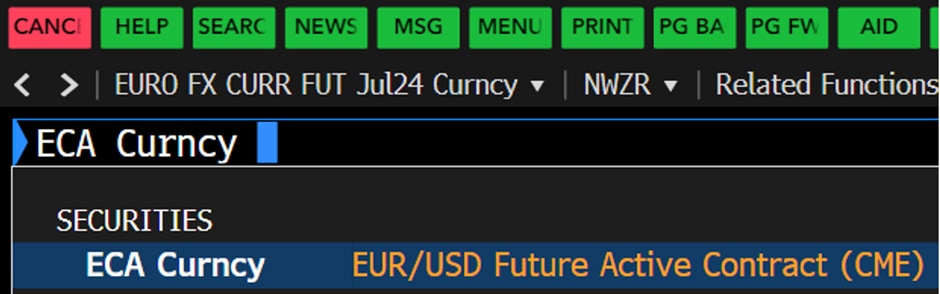
1. Taking “ECA <Curncy>” (EUR/USD futures) as example, type in “ECA Curncy CT” and press “Enter.”
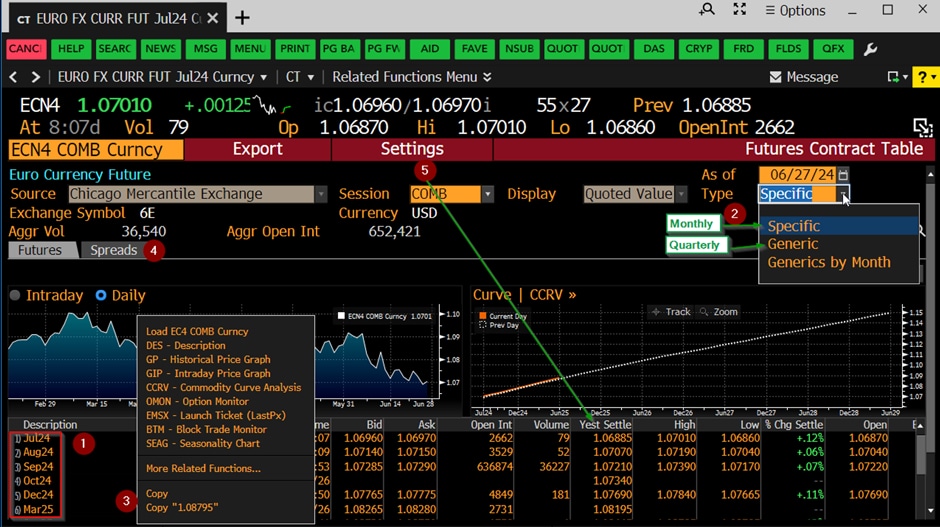
2. Under the contract detail’s view:
- #1 lists out available futures settlement dates that can be traded.
- You can switch between Monthly and Quarterly view in “Type” (see #2).
- In the contract table (#3), right-click a contract, select additional function(s) to view further details (e.g., <DES> shows the contract specification, e.g., contract/tick size etc.).
- You can switch to Calendar Spreads view (#4) by clicking on Spreads tab.
- Under “Settings” (#5), you can customise columns to show/hide items (e.g., Yesterday’s End-of-Day settlement price etc.) and update “Security Display” type (Ticker or Description).
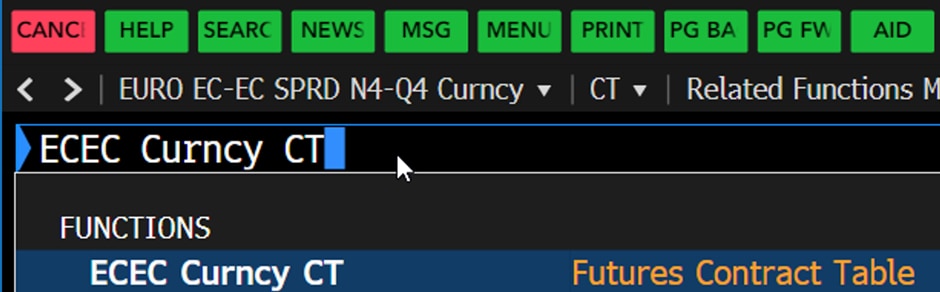
FX Futures Calendar Spreads
1. Taking “ECEC <Curncy>” (EUR/USD Calendar Spreads) as example, type in “ECEC Curncy CT” and press “Enter” – see Fig. 3. For a specific instrument, e.g., EUR/USD Sept-24 vs Dec-24 spread, you can directly type in “ECU4ECZ4 Curncy CT” and press “Enter” – see Fig. 4. Alternatively, views can be switched between Futures and Spreads view (see the former Futures section, sub-point 2,d).

2. Under the Contract Details view
- You can configure the first leg month (#1) and the length of the spread (#2).
- Left click (#3) to select a specific Calendar Spread instrument and switch price chart between Intraday and Daily view (#4).

FX Link
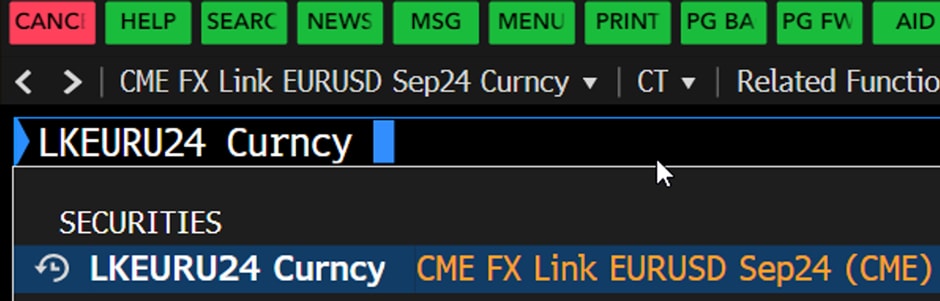
1. Taking EUR/USD FX Link Sept 2024 Settlement as an example, type in “LKEURU24 Curncy CT” and press “Enter”.
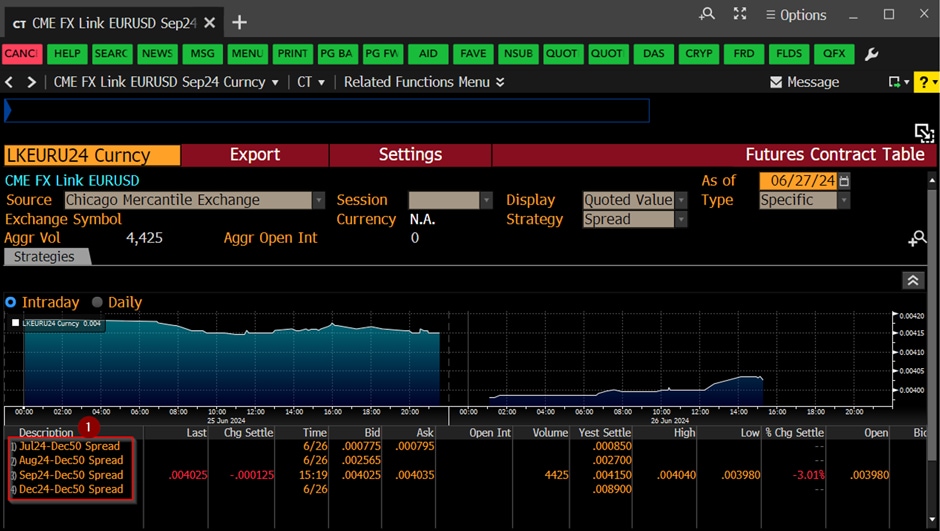
2. Under the Contract Details view:
The front leg futures is shown upfront followed by the spot leg dummied by “Dec-50” (#1).
How to check previous trade day’s volume and open interest using <CTM>
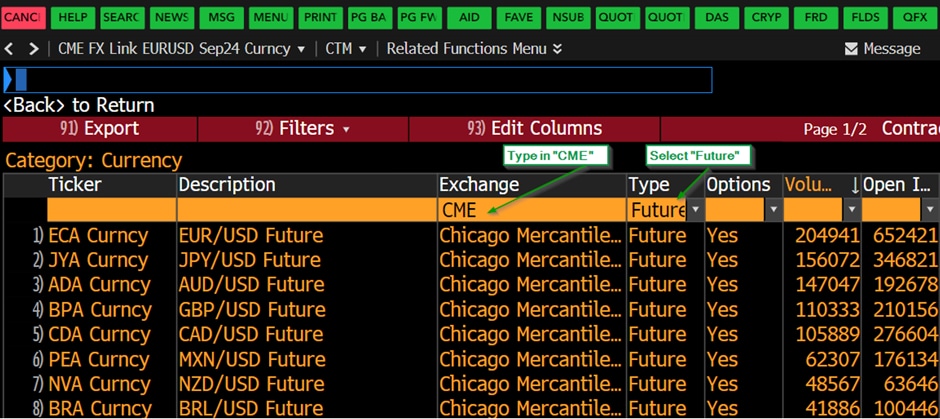
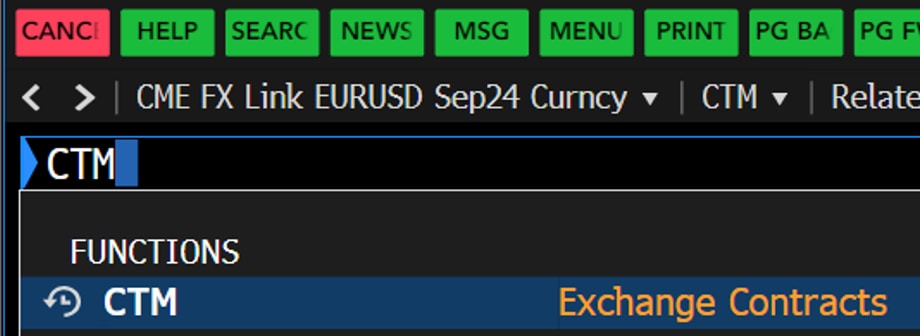
1. Type in “CTM” then press “Enter”
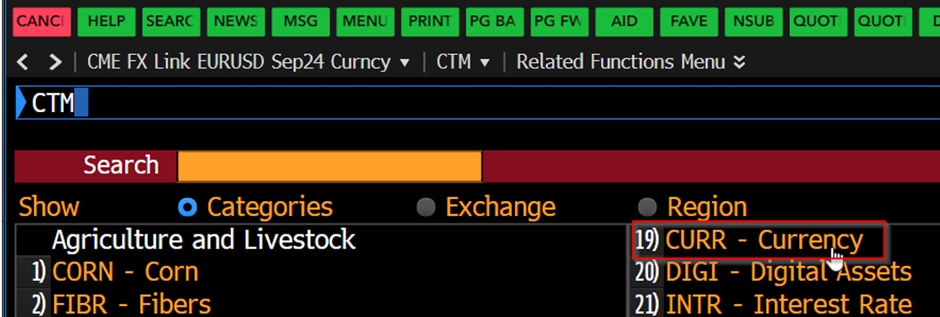
2. Click on (19) CURR – Currency
3. Select “Future” under the Type column and type in “CME” under the Exchange column: