Bloomberg User Guide: CME FX Options on Futures
Using the codes below, follow these steps to access information about CME FX options on futures through a Bloomberg terminal.
| XXXX <curncy>OMON | XXXX <curncy> | |||||||
| Monthly | Mondays | Tuesdays | Wednesdays | Thursdays | Fridays | Fixing for Options Expiries | Underlying Futures* | |
| EUR/USD | UEAA | DZWA | TBPA | WEBA | SDYA | UAWA | CMFXECF1 | ECA |
| JPY/USD | JADA | JPWA | TBDA | WJBA | SDLA | JAWA | CMFXJYF1 | JYA |
| GBP/USD | BGAA | BDWA | TBAA | WLBA | SDAA | BGWA | CMFXBPF1 | BPA |
| AUD/USD | AUAA | ARWA | TBLA | WABA | SDRA | AUWA | CMFXADF1 | ADA |
| CAD/USD | UCDA | CFWA | TBBA | WCBA | SDBA | UDWA | CMFXCDF1 | CDA |
| CHF/USD | SWBA | SWWA | CMFXSFF1 | SFA | ||||
| BRL/USD | BRA | BRA | ||||||
| MXN/USD | PEA | PEWA | CMFXMPF5 | PEA | ||||
| CNH/USD | CDYA | CWDA | CDYA | |||||
*Please refer to the Bloomberg User Guide: CME FX Futuresfor price multiplier information.
| Month Codes | |||||||
| JANUARY | F | APRIL | J | JULY | N | OCTOBER | V |
| FEBRUARY | G | MAY | K | AUGUST | Q | NOVEMBER | X |
| MARCH | H | JUNE | M | SEPTEMBER | U | DECEMBER | Z |
Options Monitor (EUR/USD as example)
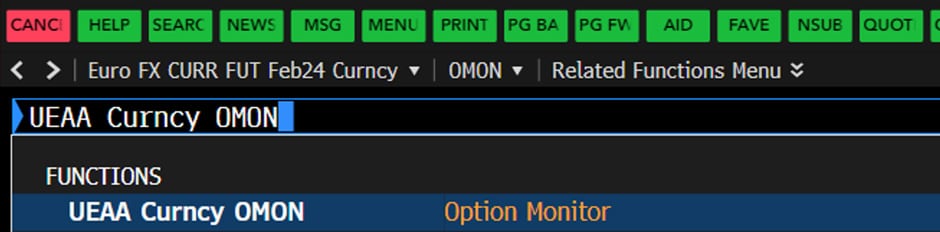
1. Type the Bloomberg code followed by “<curncy>OMON”:
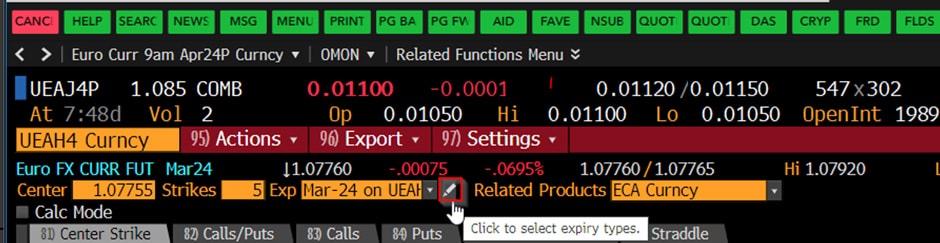
2. Click on the “pen” icon:
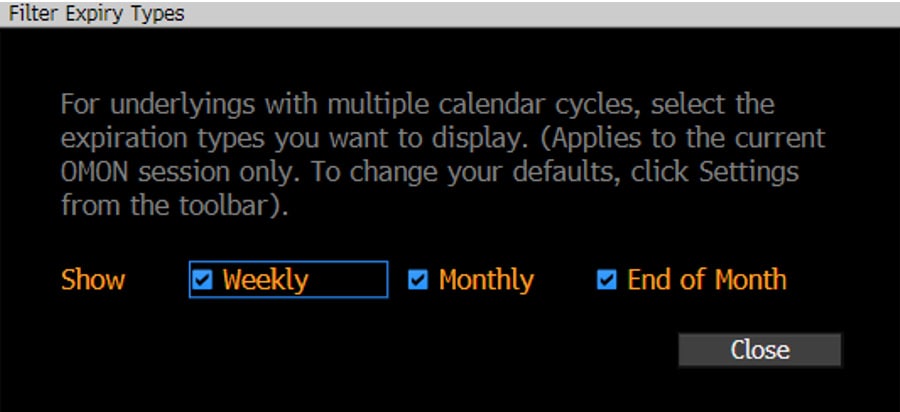
3. Ensure all options are ticked:
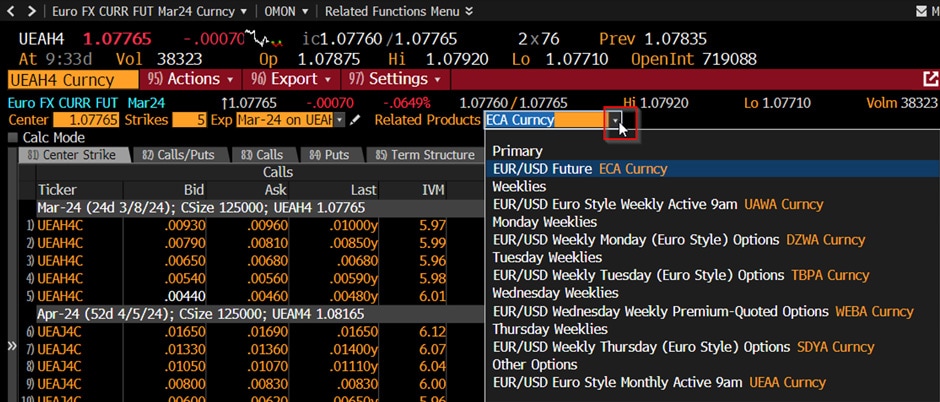
4. Differing option expiries are accessed via the “Related Products” dropdown:
Check previous trade day’s volume and open interest use <ctm>
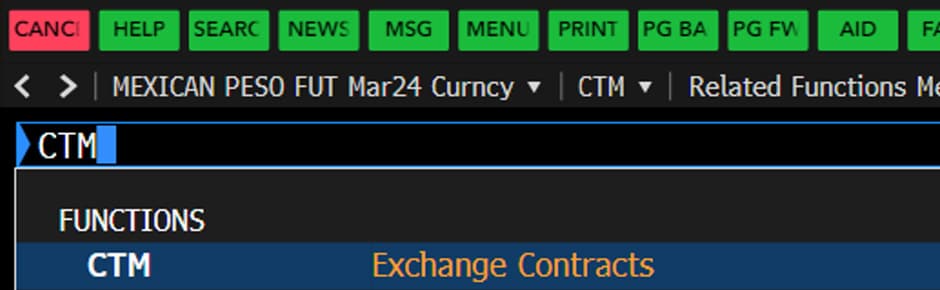
1. Type in “CTM” then hit enter:
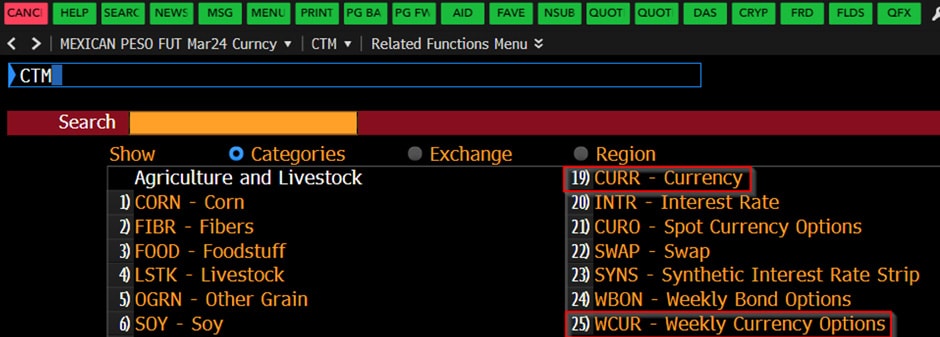
2. Select:
- 19) CURR – Currency for Monthly Options
OR
- 25) WCUR – Weekly Currency Options
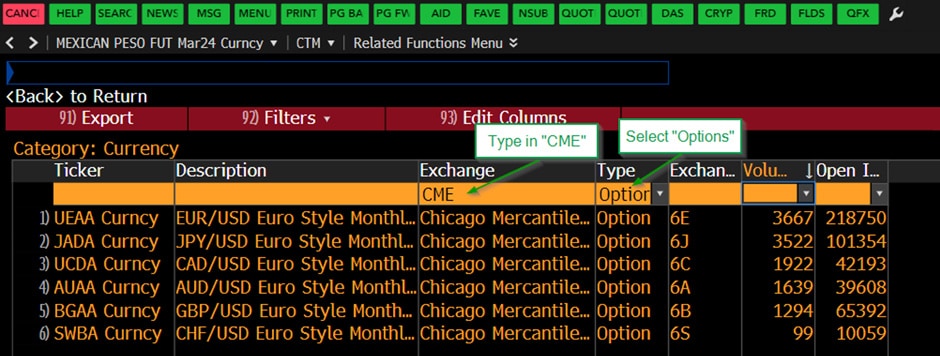
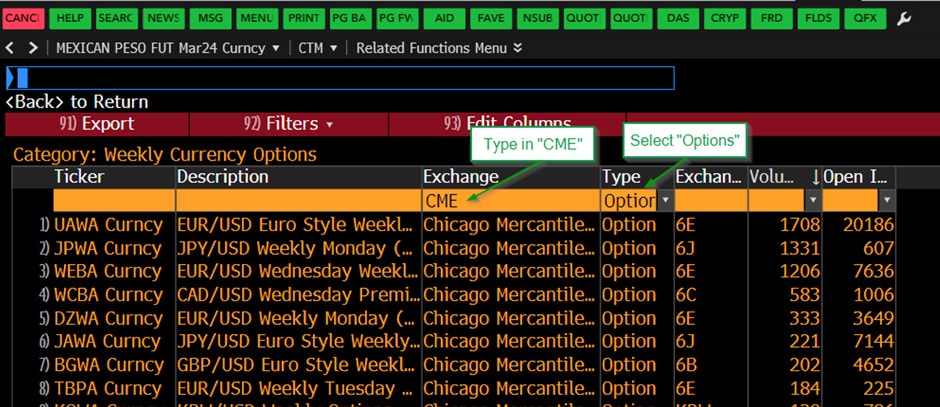
3. After you’ve selected either, select “Option” under the Type column and type in “CME ” under the Exchange column respectively.
Here’s a sample view of Monthly options:
Here’s a sample view of Weekly options:
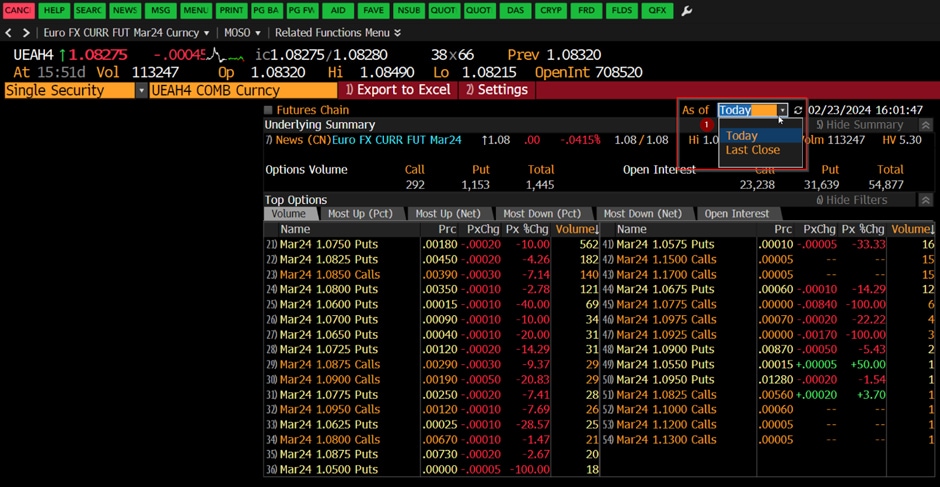
Check most active options using <omst>:
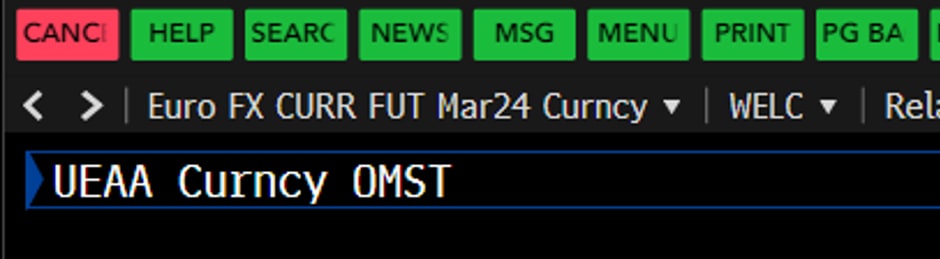
1. Type in “XXXX <curncy>OMST” then hit enter:
2. Toggle between Today and Last Close to see intraday volume or previous trade day’s volume and open interest for all traded instruments. The detailed user guide can be found via “<help>OMST”.